¶ Beginner Resources
Beginner resources for participants in the HITI lab
¶ Learning to Code
To learn to code with Python, and get familiar with the Pandas library:
¶ Using AI to understand code
You can use AI tools such as 'ChatGPT' and 'Claude' can be useful to help you understand and learn code.
If you encounter a section of code that you do not fully understand, can copy and paste a snippet of code into these AI tools and use a prompt like "explain in detail what this line of code is doing" or "what is this function's role in this code?"
Keep in mind that you may need to be more detailed with your prompts for the tools to understand what the code is doing. And you can also ask the AI tools to recheck their logic.
When using an AI tool to create code or make decisions, it is important that you take the time to understand what it is recommending and why. For example, if the AI tool recommends an optimization method, research that method on a reputable source so you can confirm that it is appropriate for you work.
¶ All recordings from the 2024 HITI Lab Health AI Summer School are available to watch on YouTube.
For an understanding of machine learning:
- ‘End to End machine learning using Tabular Data’
- ‘Common statistical mistakes in machine learning’
- ‘Understanding Convolutional Neural Networks (CNN)’
To learn about the journey of patient images:
¶ What is a Notebook?
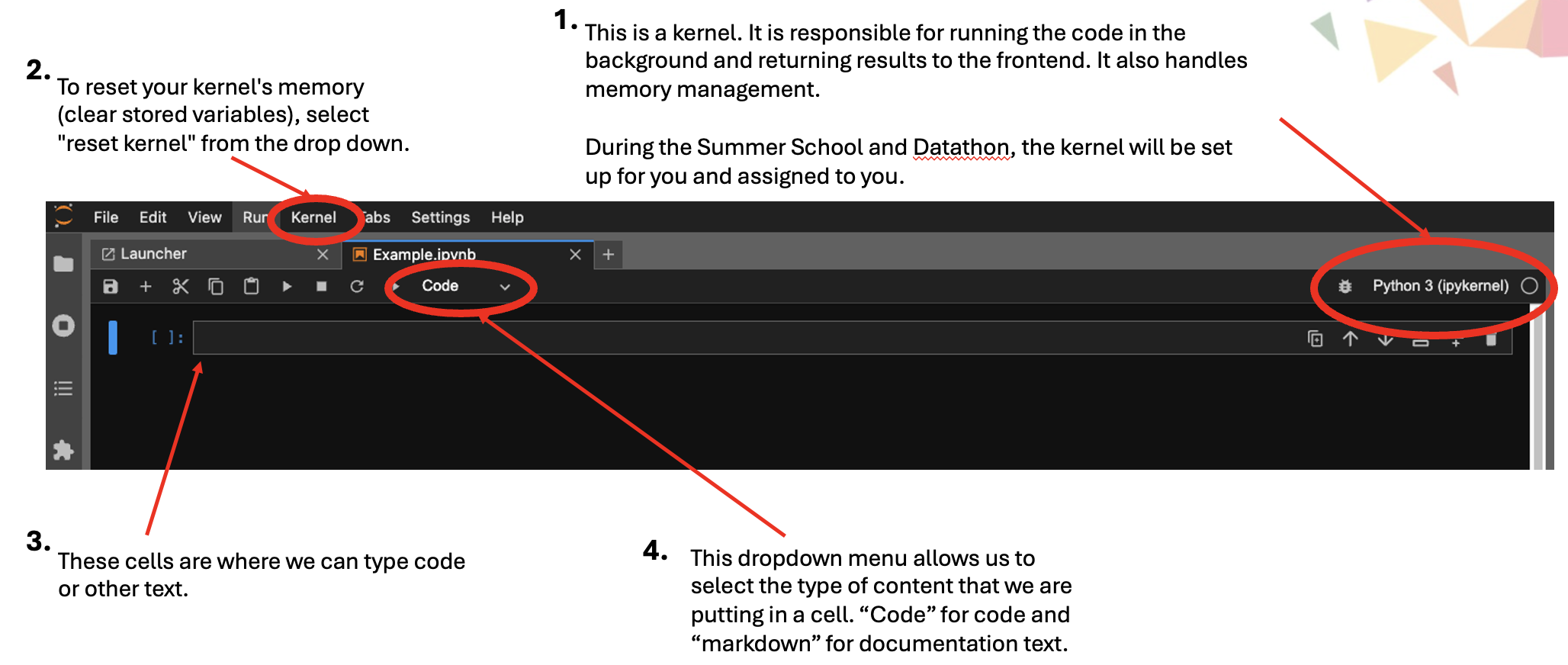
In the HITI lab, we use Jupyter Notebook. It is a web application used to create, run and share code and documentation. During the Summer School, you will be provided with notebooks during the hands-on presentations. During the Datathon, you will use notebooks to work through your project and share documentation with your team.
Here you can see an example of a blank notebook. Let’s go through the different sections.

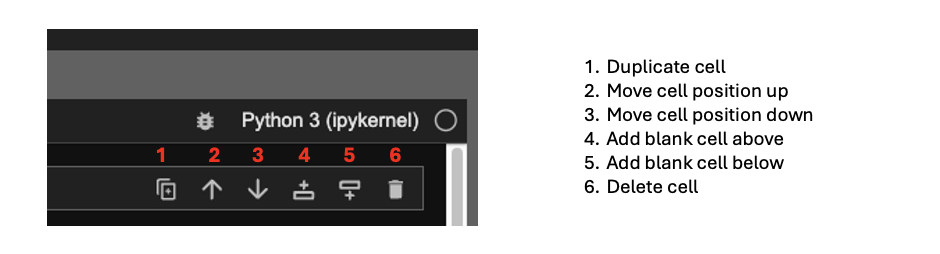
The symbols on the right of the cells allow us to perform cell actions.
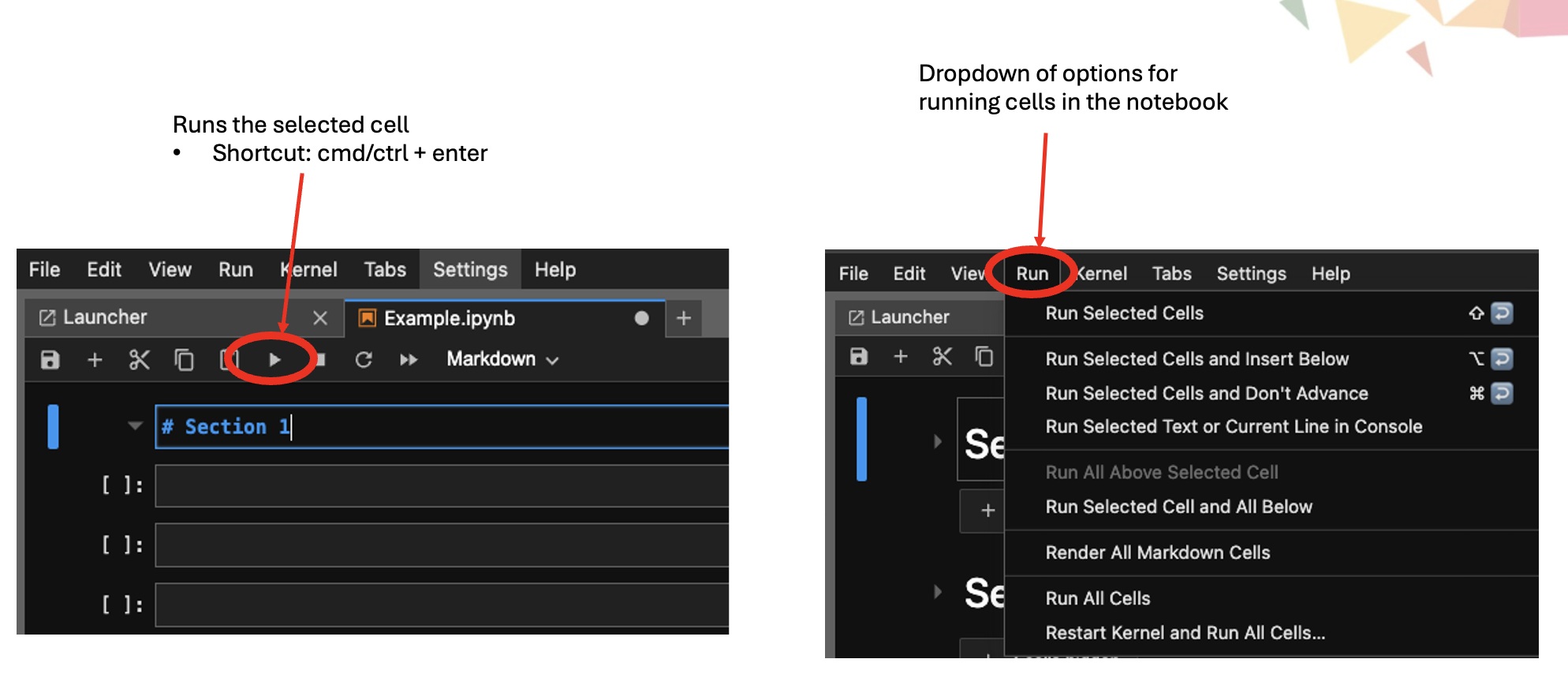
¶ Running Cells in a Notebook
¶ Markdown
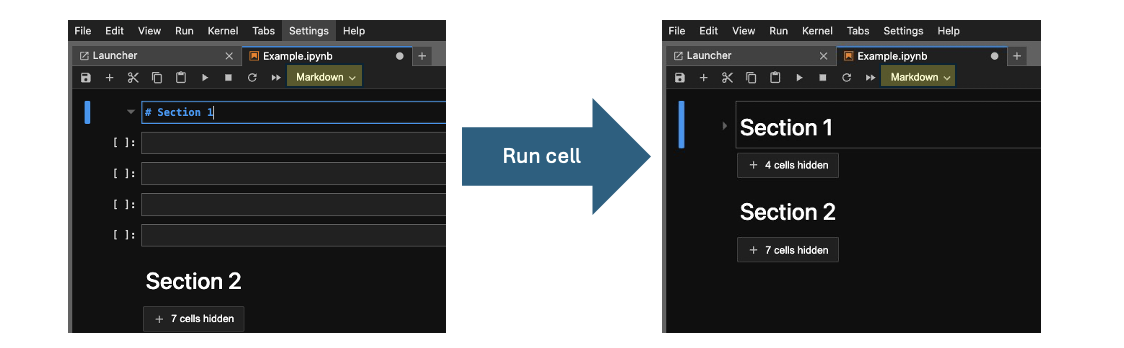
Use markdown to add titles, explanations and other information to your notebook. This helps to organize your notebook into different sections.
Using the "#" symbol before text creates a heading (and starts a new section). Using multiple "#" symbols creates subheadings. After entering your text, you need to run the cell.